Gaming Video Editing: Post-Production for Gaming Content
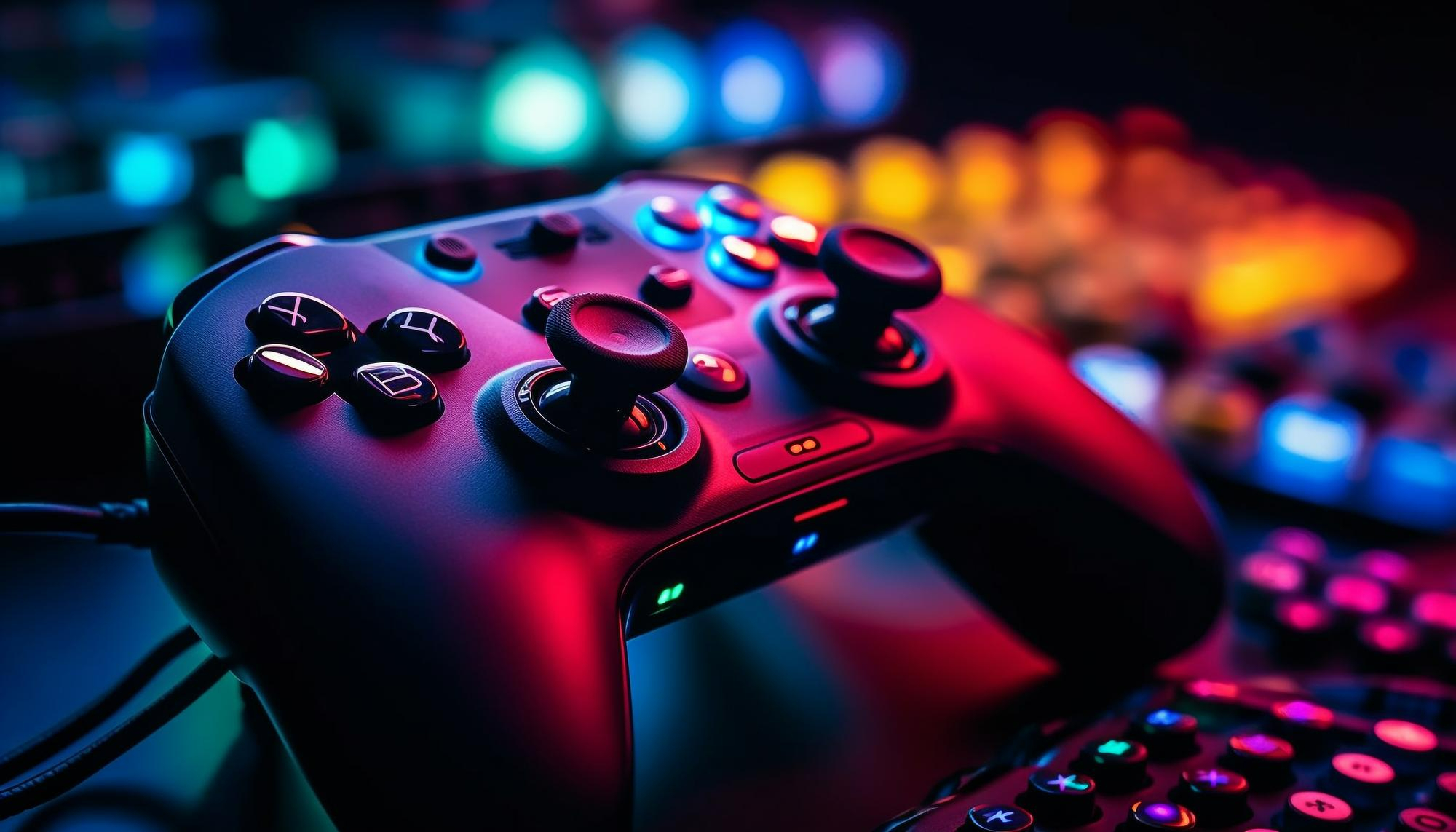
Ever watch a gaming video and think, "Wow, that was awesome!" or maybe, "Ugh, I could have done better"? The secret sauce isn't just amazing gameplay; it's what happensafteryou hit record. It’s where raw footage transforms into engaging content that keeps viewers hooked.
Creating captivating gaming videos can feel overwhelming. You have hours of footage, audio to clean up, and the constant pressure to stand out in a sea of content. Getting those crisp edits, dynamic transitions, and perfectly timed sound effects can feel like trying to solve a Rubik's Cube blindfolded.
This guide is all about mastering the art of gaming video editing. We'll explore the essential post-production techniques that elevate your content from "meh" to "must-watch." Think professional-quality videos that grab attention, build a loyal audience, and leave viewers wanting more.
From understanding the basics of video editing software to mastering advanced techniques like color correction and sound design, we'll cover everything you need to know to transform your gameplay footage into engaging videos. We'll delve into key aspects like trimming footage, adding transitions, incorporating music and sound effects, creating compelling titles and thumbnails, and optimizing your video for different platforms. Prepare to unlock the full potential of your gaming content and become a video editing master!
First Steps: Organizing Your Footage
I remember when I first started editing gaming videos. I'd record hours of gameplay, dump it all onto my hard drive, and then just stare at the chaotic mess, completely lost. I'd spend more timefindingthe good parts than actually editing them! That's when I learned the vital importance of organization. Now, before I even open my editing software, I have a system. I create folders for each game, then subfolders for each recording session. Inside those, I label each clip with a description of what happens. For example, "Fortnite - Victory Royale - Squad Wipe." This might sound tedious, but trust me, it's a lifesaver. Once you've got your footage organized, take a pass through each clip and mark the in and out points of the sections you want to use. Most video editing software allows you to set markers or create subclips directly from the source footage. Use these features liberally. Think of it like highlighting the key moments in a textbook. By the time you actually start editing, you'll have a clear roadmap of where to go and what to include. This simple habit will drastically reduce wasted time and frustration, letting you focus on the creative aspects of video editing, like adding those awesome visual effects or nailing that perfect comedic timing. Think of it as building a strong foundation for your video editing project. A little preparation goes a long way!
Understanding Video Editing Software
Video editing software is the digital equivalent of a film director's cutting room. It's where raw footage is transformed into a polished and engaging video. Choosing the right software is crucial, and the best option depends on your skill level, budget, and specific needs. For beginners, user-friendly options like Filmora or i Movie (if you're on a Mac) are excellent starting points. They offer intuitive interfaces and a range of pre-built effects and transitions, making it easy to create professional-looking videos without a steep learning curve. As you become more comfortable with the basics, you might consider upgrading to more advanced software like Adobe Premiere Pro or Da Vinci Resolve. These programs offer unparalleled control over every aspect of the editing process, from color grading to audio mixing. However, they also come with a steeper learning curve and a higher price tag. No matter which software you choose, familiarize yourself with the key features: the timeline, where you arrange and edit your clips; the effects panel, where you can add visual enhancements and transitions; and the audio mixer, where you can adjust the volume and pan of your audio tracks. Experiment with different tools and techniques to find what works best for you. Remember, the goal is to use the software to bring your creative vision to life and create videos that stand out from the crowd.
The History and Evolution of Gaming Video Editing
Believe it or not, gaming video editing has a history almost as rich as gaming itself. Back in the early days of gaming, capturing and sharing gameplay was a far cry from today's seamless streaming and recording. Think back to the times of shaky camcorder footage pointed at CRT screens! The evolution really took off with the advent of PC gaming and the introduction of dedicated capture cards. Suddenly, players could record their gameplay directly from the source, opening up a world of possibilities for editing and sharing. Early editing tools were rudimentary, often requiring a deep understanding of video codecs and formats. But as technology advanced, so did the tools. Software became more user-friendly, and features like non-linear editing allowed creators to manipulate footage in a more flexible and intuitive way. The rise of platforms like You Tube and Twitch further fueled the growth of gaming video editing. Creators now had a dedicated audience eager to consume their content, and the competition to stand out drove innovation in editing techniques. From simple gameplay montages to elaborate machinima films, gaming video editing has become a true art form, pushing the boundaries of creativity and storytelling. Today, with the power of advanced software and the reach of online platforms, anyone can become a gaming video editor and share their passion with the world.
Unlocking Hidden Secrets: Advanced Editing Techniques
Beyond the basics of trimming and transitions lies a world of advanced editing techniques that can truly elevate your gaming videos. One such technique is color correction and grading. By adjusting the colors and tones of your footage, you can create a more visually appealing and consistent look, even if your original recordings were a bit drab. Another powerful tool is motion tracking. This allows you to attach text, graphics, or effects to moving objects in your video, creating dynamic and engaging visuals. Imagine adding a floating health bar above a character's head or a spotlight that follows their movements. Sound design is another often-overlooked aspect of video editing. By adding custom sound effects and music, you can create a more immersive and engaging experience for your viewers. Consider adding a subtle whooshing sound when a character dashes or a dramatic sting when they land a critical hit. Finally, don't be afraid to experiment with visual effects. Adding particle effects, lens flares, or distortion effects can create a sense of energy and excitement in your videos. Remember to use these techniques sparingly and with purpose. The goal is to enhance the viewing experience, not to distract from it. When used effectively, advanced editing techniques can transform your gaming videos from amateurish to professional.
Recommended Editing Software and Hardware
Choosing the right software and hardware is crucial for a smooth and efficient gaming video editing workflow. For beginners, free or low-cost options like Da Vinci Resolve (free version) or Filmora offer a great starting point. These programs are relatively easy to learn and provide a solid set of features for basic editing tasks like trimming, transitions, and adding text. As you progress, you might consider upgrading to more advanced software like Adobe Premiere Pro or Final Cut Pro (for Mac users). These programs offer a wider range of features and tools, including advanced color correction, audio mixing, and motion graphics capabilities. When it comes to hardware, a powerful computer is essential. Look for a processor with multiple cores (at least 6-8) and a dedicated graphics card with plenty of VRAM (at least 4GB). A fast SSD (Solid State Drive) is also crucial for storing your footage and editing software. This will significantly reduce loading times and improve overall performance. Finally, invest in a good quality monitor with accurate color reproduction. This will help you make informed decisions about color correction and grading. While it's possible to edit gaming videos on a budget, investing in the right tools will make the process much easier and more enjoyable. It will also allow you to create higher-quality videos that stand out from the crowd.
Optimizing Your Workflow for Efficiency
Efficiency is key to maintaining sanity and churning out content consistently. Start by creating templates for your intros, outros, and lower thirds. This saves you time and ensures a consistent brand identity across all your videos. Learn keyboard shortcuts for your editing software. Mastering shortcuts will significantly speed up your workflow and reduce the amount of time you spend clicking through menus. Use proxy files for editing high-resolution footage. Proxy files are lower-resolution versions of your original footage that are easier for your computer to handle. This can significantly improve performance, especially when working with 4K or 8K video. Batch process repetitive tasks whenever possible. For example, if you need to apply the same color correction settings to multiple clips, use a batch processing tool to automate the process. Keep your project files organized and clutter-free. Delete unused footage and assets to free up storage space and improve performance. Finally, take regular breaks. Staring at a screen for hours on end can lead to eye strain and fatigue. Taking short breaks every hour will help you stay focused and productive. By implementing these strategies, you can streamline your workflow and create gaming videos more efficiently.
Essential Editing Tips for Gaming Content
One of the biggest mistakes I see is editors failing to cut out the boring bits. Respect your viewer's time! If nothing exciting is happening, trim it. Nobody wants to watch you loot for five minutes straight. Secondly, use jump cuts strategically. Jump cuts are abrupt transitions that can create a sense of energy and excitement. They're perfect for cutting out pauses or hesitations in your gameplay. Thirdly, add subtitles or captions, especially if your commentary is fast-paced or uses slang. This makes your videos more accessible to a wider audience. Fourthly, use visual cues to highlight important moments. Zoom in on key details, add arrows or circles to draw attention to specific areas, or use slow motion to emphasize impactful actions. Fifthly, pay attention to audio levels. Make sure your commentary is clear and audible, and that background music and sound effects don't drown it out. Sixthly, experiment with different editing styles. Try incorporating memes, reaction videos, or even short skits to add humor and personality to your videos. Remember to tailor your editing style to your target audience and the type of game you're playing. The goal is to create videos that are engaging, entertaining, and informative.
Perfecting Audio Quality: A Deep Dive
Audio is half the battle when it comes to creating engaging gaming videos. No matter how visually stunning your footage is, if your audio is poor, viewers will likely tune out. Start by investing in a good quality microphone. A USB microphone is a great option for beginners, while more advanced users might consider an XLR microphone with an audio interface. Reduce background noise as much as possible. Close windows, turn off fans, and use a pop filter to minimize unwanted sounds. Use noise reduction software to clean up your audio. Most video editing programs include built-in noise reduction tools, but you can also use dedicated audio editing software like Audacity or Adobe Audition. Adjust the volume levels of your different audio tracks to ensure a balanced mix. Make sure your commentary is clear and audible, and that background music and sound effects don't drown it out. Use compression to even out the dynamics of your audio. This will make your voice sound more consistent and professional. Add EQ (equalization) to shape the sound of your audio. Use EQ to remove unwanted frequencies and enhance the clarity of your voice. Finally, listen to your audio on different devices to make sure it sounds good on headphones, speakers, and mobile devices. By paying attention to these details, you can ensure that your gaming videos have professional-quality audio.
Fun Facts About Gaming Video Editing
Did you know that the first gaming videos were created long before You Tube existed? Early gamers shared their accomplishments through text-based walkthroughs and forum posts. It wasn't until the advent of affordable video capture technology that gaming videos truly took off. Another interesting fact is that machinima, the art of creating animated films using video game engines, has been around since the late 1990s. Machinima creators have used games like Quake and Half-Life to create everything from short comedies to full-length dramas. The rise of esports has also had a significant impact on gaming video editing. Tournament organizers and professional players rely heavily on video editing to create highlight reels, training videos, and promotional content. Some of the most popular gaming You Tubers earn millions of dollars each year from their videos. These creators have built massive audiences by providing entertaining and informative content about their favorite games. Finally, gaming video editing is constantly evolving. New software, techniques, and trends emerge all the time, so it's important to stay up-to-date on the latest developments. The world of gaming video editing is a dynamic and exciting place, full of opportunities for creative expression and community engagement.
How to Create Compelling Titles and Thumbnails
Your title and thumbnail are the first things potential viewers will see, so it's crucial to make them eye-catching and informative. A good title should accurately reflect the content of your video while also being intriguing and click-worthy. Use keywords that people are likely to search for, but avoid clickbait. Clickbait titles might get you more views initially, but they can also damage your reputation in the long run. Your thumbnail should be visually appealing and relevant to your video. Use bright colors, clear images, and text overlays to grab attention. Avoid using overly cluttered or misleading thumbnails. Test different titles and thumbnails to see what performs best. You Tube analytics provides valuable data on click-through rates and viewer engagement. Use this data to optimize your titles and thumbnails over time. Research what other creators in your niche are doing. Pay attention to the titles and thumbnails that are performing well and try to emulate their style. However, avoid directly copying other creators. Be original and find your own unique voice. Finally, remember that your title and thumbnail are just one piece of the puzzle. The quality of your video content is ultimately what will keep viewers coming back for more. Invest time and effort into creating engaging and informative videos that people will enjoy watching.
What If Gaming Video Editing Didn't Exist?
Imagine a world without gaming video editing. No highlight reels showcasing epic plays, no tutorials explaining complex strategies, and no comedic montages poking fun at gaming tropes. The gaming community would be a much different place. Without video editing, it would be much harder for new players to learn and improve. Tutorials and walkthroughs would be limited to text-based guides, which are often less engaging and informative than video demonstrations. The competitive gaming scene would also suffer. Highlight reels are essential for promoting esports events and showcasing the skills of professional players. Without these videos, it would be much harder to attract sponsors and build a fanbase. The gaming community would be less connected. Gaming videos provide a platform for creators to share their experiences, connect with other players, and build communities. Without this platform, it would be harder for gamers to find like-minded individuals and share their passion for gaming. Gaming culture would be less visible. Gaming videos have helped to bring gaming into the mainstream and challenge negative stereotypes about gamers. Without this visibility, it would be harder to promote gaming as a legitimate form of entertainment and creative expression. In short, gaming video editing has had a profound impact on the gaming community. It has made gaming more accessible, competitive, and connected. Without it, the gaming world would be a much less vibrant and engaging place.
Top 5 Gaming Video Editing Trends
1. Short-Form Content: Tik Tok and You Tube Shorts have popularized short, attention-grabbing videos. Gaming edits are now frequently condensed into quick highlights and funny moments.
- Vertical Video: Optimized for mobile viewing, vertical gaming content is booming. Editors adapt gameplay footage to fit the vertical format, focusing on key actions.
- AI-Powered Editing: AI is automating tasks like noise reduction, object tracking, and even creating highlight reels, streamlining the editing process.
- Interactive Content: Viewers want to participate! Editors are incorporating polls, quizzes, and branching narratives to engage audiences directly.
- Nostalgia Marketing: Retro gaming is HUGE! Expect more edits featuring classic games, pixel art animations, and throwback sound effects.
Question and Answer
Q: What's the most important skill for a gaming video editor?
A: Knowing your audience! Understanding what they find entertaining and informative is key to creating successful content.
Q: How much time should I spend editing a 10-minute gaming video?
A: It depends on the complexity, but aim for at least 2-3 hours for a basic edit and much longer for advanced effects and storytelling.
Q: What are some common mistakes to avoid when editing gaming videos?
A: Overusing jump cuts, having unbalanced audio, and neglecting to optimize for different platforms are frequent pitfalls.
Q: Can I make money editing gaming videos?
A: Absolutely! Freelance editing, creating content for brands, and building your own You Tube channel are all viable paths to monetization.
Conclusion of Gaming Video Editing: Post-Production for Gaming Content
Mastering gaming video editing is an ongoing journey. From the basics of organization and software to advanced techniques and trend awareness, the path to creating captivating content is paved with dedication and a willingness to learn. Embrace experimentation, stay true to your creative vision, and never stop refining your skills. With the right tools and techniques, you can transform your gameplay footage into engaging videos that entertain, inform, and build a loyal audience. So, go forth and create! The world of gaming video editing awaits your unique perspective and talent.
Post a Comment