Gaming Twitch Streaming: Beginning Live Streaming for Gaming
Ever dream of sharing your epic gaming moments with the world? Picture yourself captivating an audience with your skills, personality, and the games you love. The world of live streaming offers an exciting opportunity to connect with fellow gamers and build a community around your passion.
Stepping into the world of live streaming can feel a bit daunting. Where do you even start? What equipment do you need? How do you attract viewers? The technical aspects, the fear of putting yourself out there, and the sheer volume of information can be overwhelming.
This guide is designed to help you navigate the initial steps of starting your own gaming stream on Twitch. We'll break down the essentials, from choosing the right equipment and software to setting up your stream and engaging with your audience. We’ll focus on providing a clear, concise path to get you live and sharing your gameplay.
Starting a gaming stream on Twitch requires some initial planning and setup. This guide covers equipment like a microphone and webcam, choosing streaming software such as OBS Studio or Streamlabs, setting up your Twitch account, understanding stream settings, and basic tips for engaging with viewers and growing your channel. By following these steps, aspiring streamers can confidently begin their live streaming journey and connect with a passionate gaming community.
Gearing Up: Essential Equipment for Streaming
When I first started thinking about streaming, the equipment list felt like climbing Mount Everest. Microphones, webcams, capture cards… it was enough to make my head spin. I remember spending hours researching different microphones, trying to decipher the difference between condenser and dynamic mics. I eventually settled on a USB microphone that seemed to offer a good balance between quality and affordability. The webcam was another rabbit hole! I realized that good lighting was just as important as the camera itself. It took a lot of trial and error, adjusting lamps and moving my setup around, before I was happy with the image I was projecting.
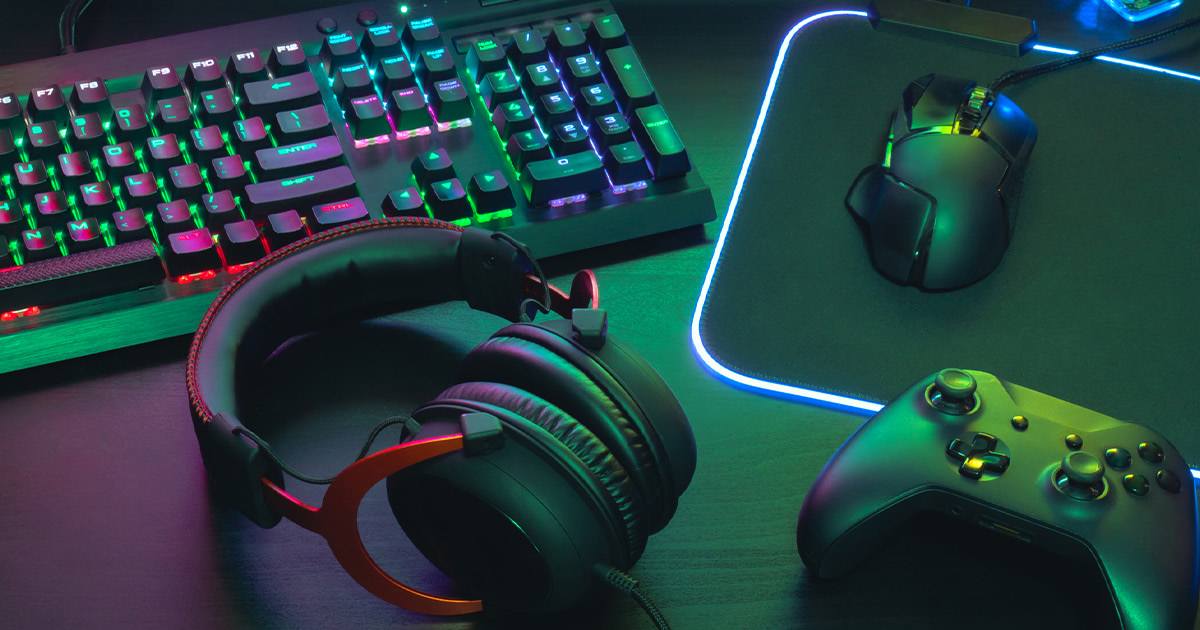
The essential equipment for streaming boils down to a few key components. First, you need a decent computer capable of running both your game and your streaming software. While high-end rigs are ideal, you can start with a mid-range PC and upgrade later. A quality microphone is crucial for clear audio, allowing your viewers to hear you clearly. A webcam lets your audience see your reactions and adds a personal touch to your stream. Streaming software, such as OBS Studio or Streamlabs Desktop, is the backbone of your broadcast, enabling you to capture your gameplay, add overlays, and manage your stream settings. Don't underestimate the importance of a stable internet connection; a reliable upload speed is essential for smooth, lag-free streaming. Investing in a good headset can improve audio quality for you and your viewers.
Choosing Your Streaming Software: OBS Studio vs. Streamlabs
Choosing the right streaming software is like picking the right tool for a job. It can significantly impact your streaming experience. OBS Studio is a free, open-source software that is highly customizable and widely used by streamers. It offers a vast array of features and plugins, allowing for advanced customization. Streamlabs, on the other hand, is a modified version of OBS Studio with a more user-friendly interface and built-in features like alerts, overlays, and chat integration.
The core functionality of streaming software revolves around capturing your gameplay, webcam feed, and microphone audio, then encoding and transmitting it to Twitch. OBS Studio offers unparalleled flexibility, allowing streamers to fine-tune every aspect of their stream. Its modular design enables users to add plugins for enhanced functionality, such as advanced scene transitions or custom scripts. Streamlabs simplifies the setup process with pre-designed themes and widgets, making it easier for beginners to get started. However, Streamlabs can be more resource-intensive than OBS Studio, potentially impacting game performance on lower-end PCs. Both platforms offer extensive customization options, but OBS Studio requires more technical knowledge to fully utilize its potential. Consider your technical expertise and desired level of customization when choosing between OBS Studio and Streamlabs.
The History and Evolution of Twitch Streaming
Streaming has come a long way from its humble beginnings. It's easy to forget that platforms like Twitch weren't always the behemoths they are today. I remember the early days of Justin.tv, where the concept of "lifecasting" was just starting to gain traction. It was a quirky, experimental space where people broadcasted everything from their daily routines to their gaming sessions.
The roots of Twitch can be traced back to Justin.tv, a website founded in 2007 that allowed anyone to broadcast their life online. As gaming content gained popularity on Justin.tv, the company decided to create a dedicated platform for gamers, which eventually became Twitch in 2011. Twitch quickly gained traction within the gaming community, attracting both streamers and viewers with its focus on live gameplay. The platform's growth was fueled by the rise of esports and the increasing popularity of online gaming. In 2014, Amazon acquired Twitch for $970 million, further solidifying its position as the leading live streaming platform. Today, Twitch boasts millions of active users and streamers, offering a wide range of content beyond gaming, including music, art, and lifestyle streams. The platform's success has paved the way for other streaming services like You Tube Gaming and Facebook Gaming, demonstrating the enduring appeal of live interactive content.
The Hidden Secrets of Engaging Your Audience
Beyond the technical aspects, the real magic of streaming lies in connecting with your audience. It’s not just about showcasing your skills, but about creating a community. I've learned that authenticity is key. People can tell when you're being genuine, and they're more likely to connect with you if you're just being yourself. Interacting with chat, acknowledging viewers, and responding to questions are all vital components of building a loyal audience.
The key to attracting and retaining viewers on Twitch lies in creating a unique and engaging experience. Consistency is crucial; establish a regular streaming schedule so your audience knows when to expect you. Interact with your viewers in chat, responding to their questions and comments. Create a welcoming and inclusive community, fostering a sense of belonging for your viewers. Experiment with different types of content, such as variety gaming, Q&A sessions, or collaborative streams with other streamers. Use overlays and alerts to enhance your stream's visual appeal and provide real-time information. Promote your stream on social media platforms to reach a wider audience. Remember, building a successful Twitch channel takes time and effort, but with dedication and creativity, you can create a thriving community around your passion for gaming.
Recommendations for New Twitch Streamers
If I could go back and give my younger streaming self some advice, it would be to focus on quality over quantity, especially at the beginning. Don’t worry too much about having the fanciest equipment. Instead, focus on creating engaging content and building a community. The expensive gear can come later! Another key thing is to be patient. Growing a stream takes time, and there will be days when you feel like no one is watching. Just keep creating content and engaging with your audience, and eventually, you’ll see results.
For aspiring Twitch streamers, several key recommendations can help them establish a successful channel. Start by focusing on a niche or a specific type of game to attract a targeted audience. Invest in a good microphone and webcam to ensure clear audio and video quality. Create engaging content that showcases your personality and gaming skills. Interact with your viewers in chat, responding to their questions and comments. Promote your stream on social media platforms to reach a wider audience. Be consistent with your streaming schedule, establishing a regular routine for your viewers. Experiment with different stream layouts and overlays to enhance the visual appeal of your channel. Consider collaborating with other streamers to expand your reach and gain exposure to new audiences. Most importantly, be patient and persistent, as building a successful Twitch channel takes time and effort. Focus on creating a welcoming and inclusive community, and your viewers will reward you with their loyalty and support.
Understanding Twitch Affiliate and Partner Programs
The Twitch Affiliate and Partner programs are significant milestones for streamers, offering increased opportunities for monetization and channel growth. Becoming an Affiliate unlocks features like subscriptions, emotes, and Bits, allowing viewers to support your channel directly. To qualify for Affiliate status, you need to meet certain criteria, including streaming for at least 8 hours in the past 30 days, streaming on 7 different days, averaging 3 viewers per stream, and reaching 50 followers. The Partner program is even more exclusive, requiring streamers to demonstrate consistent viewership, engagement, and high-quality content. Partners receive additional benefits, such as priority support, custom emotes, and revenue sharing opportunities.
Understanding the requirements and benefits of these programs is essential for streamers looking to turn their passion into a viable income source. Reaching Affiliate status is a significant step, enabling streamers to monetize their content and build a stronger community. Earning revenue through subscriptions, emotes, and Bits provides a financial incentive to continue streaming and improve content quality. The Partner program is the ultimate goal for many streamers, offering even greater opportunities for growth and monetization. Partners often receive sponsorship deals and collaborations with brands, further increasing their earning potential. Building a successful Twitch channel requires dedication, consistency, and a focus on creating engaging content that resonates with viewers. By understanding the Affiliate and Partner programs, streamers can set realistic goals and work towards achieving their streaming aspirations.
Tips for Growing Your Twitch Channel
Growing a Twitch channel is a marathon, not a sprint. One of the most important tips I can offer is to find your niche. What makes you unique? What can you offer that other streamers don't? Maybe you're exceptionally skilled at a particular game, or perhaps you have a unique personality or streaming style. Whatever it is, lean into it and let it shine through. Another crucial aspect is networking. Connect with other streamers, collaborate on streams, and support each other. The Twitch community is incredibly supportive, and building relationships with other streamers can significantly boost your visibility.
To effectively grow your Twitch channel, several key strategies should be implemented. First, establish a consistent streaming schedule to provide your viewers with a reliable time to tune in. Promote your channel on social media platforms, creating engaging content to attract potential viewers. Interact with your audience in chat, responding to their questions and comments and fostering a sense of community. Collaborate with other streamers to expand your reach and gain exposure to new audiences. Create high-quality content that showcases your personality and gaming skills. Use overlays and alerts to enhance the visual appeal of your stream. Participate in Twitch events and challenges to increase your visibility. Analyze your stream analytics to identify areas for improvement and optimize your content. Be patient and persistent, as building a successful Twitch channel takes time and effort. Focus on creating a welcoming and inclusive environment, and your viewers will reward you with their loyalty and support.
Optimizing Your Stream Settings for Quality
Optimizing your stream settings is crucial for delivering a smooth and enjoyable viewing experience. The ideal settings depend on your internet upload speed and computer hardware. Start by determining your upload speed using an online speed test. Twitch recommends an upload speed of at least 3 Mbps for 720p streaming and 6 Mbps for 1080p streaming. Next, configure your streaming software with the appropriate bitrate, resolution, and framerate. A lower bitrate can result in a pixelated image, while a higher bitrate can strain your internet connection and cause buffering.
Experiment with different settings to find the optimal balance between quality and performance. Consider using a lower resolution or framerate if you're experiencing lag or buffering issues. Encoding settings also play a crucial role. The x264 encoder uses your CPU, while hardware encoders like NVENC use your GPU. If you have a dedicated graphics card, NVENC can provide better performance with minimal impact on your CPU. Audio settings are also important. Ensure your microphone is properly configured and your audio levels are balanced. Use noise suppression filters to reduce background noise and improve audio clarity. Regularly monitor your stream's performance and adjust your settings as needed to maintain a consistent and enjoyable viewing experience for your audience.
Fun Facts About Twitch Streaming
Did you know that Twitch was originally called Justin.tv? And that the purple color associated with Twitch was chosen because it's considered a calming and non-distracting color? It’s fascinating to learn about the evolution of the platform and the choices that have shaped its identity. One of my favorite fun facts is about the origins of the word "Twitch" itself. It's derived from the term "twitch gameplay," which refers to the fast-paced, reaction-based style of gaming that's popular on the platform.
Twitch has become a cultural phenomenon, shaping the way people consume and interact with gaming content. One fun fact is that the most-watched game on Twitch is often League of Legends, attracting millions of viewers each month. Another interesting fact is that the average Twitch user spends over 95 minutes per day on the platform. Twitch has also played a significant role in popularizing esports, providing a platform for professional gamers to showcase their skills and compete for lucrative prizes. The platform has also launched the careers of numerous streamers, turning everyday gamers into internet celebrities. Twitch's influence extends beyond gaming, with channels dedicated to music, art, and lifestyle content. The platform's interactive nature allows viewers to directly engage with streamers, creating a sense of community and belonging. Twitch's success has paved the way for other streaming platforms, demonstrating the enduring appeal of live interactive content.
How to Start a Gaming Stream on Twitch
Starting a gaming stream on Twitch is easier than you might think. The first step is to create a Twitch account. Then, download and install streaming software like OBS Studio or Streamlabs. Configure your streaming software with your Twitch account information. Connect your microphone and webcam to your computer. Set up your stream layout, including overlays, alerts, and chat integration. Choose a game to stream and launch it on your computer. Start streaming and begin interacting with your audience.
To effectively start a gaming stream on Twitch, several key steps must be followed. First, create a Twitch account and familiarize yourself with the platform's interface. Next, download and install streaming software such as OBS Studio or Streamlabs Desktop. Configure your streaming software with your Twitch account credentials and adjust the settings to optimize for your computer's hardware and internet connection. Connect your microphone and webcam to your computer and ensure they are properly configured in your streaming software. Create a visually appealing stream layout, incorporating overlays, alerts, and chat integration. Choose a game to stream and launch it on your computer. Start streaming and begin interacting with your audience in chat. Promote your stream on social media platforms to attract viewers. Be consistent with your streaming schedule and focus on creating engaging content that showcases your personality and gaming skills. Remember, building a successful Twitch channel takes time and effort, so be patient and persistent.
What if You're Not Seeing Viewers? Troubleshooting Common Issues
It can be disheartening to start streaming and not see any viewers. Don't give up! There are several reasons why you might not be attracting an audience. One common issue is poor stream quality. If your video is pixelated or your audio is choppy, viewers are likely to click away. Make sure your stream settings are optimized for your internet connection and computer hardware. Another potential issue is lack of promotion. Simply streaming isn't enough; you need to actively promote your channel on social media and other platforms.
If you're struggling to attract viewers to your Twitch stream, several troubleshooting steps can help identify and resolve common issues. First, assess your stream quality to ensure it's visually appealing and audibly clear. Optimize your stream settings based on your internet upload speed and computer hardware capabilities. Promote your stream on social media platforms and online communities to increase visibility. Engage with other streamers and participate in networking opportunities to expand your reach. Review your stream analytics to identify patterns and areas for improvement. Consider experimenting with different game genres or streaming times to attract a wider audience. Ensure your stream title and description are engaging and accurately reflect your content. Interact with your viewers in chat and foster a welcoming and inclusive community. Analyze successful Twitch streamers in your niche to identify strategies and techniques that resonate with viewers. Be patient and persistent, as building a loyal audience takes time and effort.
Top 5 Tips for Beginner Twitch Streamers: A Listicle
Here's a quick rundown of some essential tips for beginner Twitch streamers: 1. Focus on quality audio. Viewers are more forgiving of slightly lower video quality than they are of poor audio.
2. Be consistent with your streaming schedule. Regular streams help viewers know when to expect you.
3. Interact with your chat. Engage with your viewers and respond to their questions and comments.
4. Promote your stream on social media. Use social media to let people know when you're going live.
5. Be yourself! Authenticity is key to building a genuine connection with your audience.
For beginner Twitch streamers, here's a listicle of essential tips to help launch a successful channel:
- Invest in Quality Audio: Clear and crisp audio is crucial for an enjoyable viewing experience. Prioritize a good microphone to ensure your viewers can hear you clearly.
- Establish a Consistent Schedule: Regular streaming times help viewers know when to tune in and build a routine around your content.
- Engage with Your Chat: Interact with your audience in real-time, responding to questions and comments to foster a sense of community.
- Promote on Social Media: Use platforms like Twitter, Instagram, and Discord to announce your streams and share highlights from your content.
- Be Authentic: Let your personality shine through and be genuine with your viewers. Authenticity builds trust and fosters a loyal audience.
Bonus Tip: Have Fun! Streaming should be an enjoyable experience for both you and your viewers. Relax, be yourself, and let your passion for gaming shine through.
Question and Answer
Here are some frequently asked questions about starting a gaming stream on Twitch:
Q: What's the minimum upload speed I need to stream on Twitch?
A: Twitch recommends an upload speed of at least 3 Mbps for 720p streaming and 6 Mbps for 1080p streaming. However, it's always best to have a buffer of extra bandwidth to ensure a smooth stream.
Q: Do I need a capture card to stream console games?
A: Yes, a capture card is necessary to capture the video and audio from your console and transmit it to your streaming software.
Q: How do I grow my Twitch channel?
A: Growing a Twitch channel takes time and effort. Focus on creating high-quality content, engaging with your audience, promoting your stream on social media, and collaborating with other streamers.
Q: What if I don't have a webcam?
A: While a webcam can add a personal touch to your stream, it's not essential. You can still stream successfully without one. Focus on creating engaging content and providing entertaining commentary.
Conclusion of Gaming Twitch Streaming: Beginning Live Streaming for Gaming
Embarking on your Twitch streaming journey can be an incredibly rewarding experience. By understanding the essential equipment, choosing the right software, optimizing your stream settings, and engaging with your audience, you can create a captivating and thriving channel. Remember to be patient, persistent, and most importantly, have fun! The world of live streaming is constantly evolving, so stay curious, keep learning, and adapt to the changing landscape. With dedication and passion, you can turn your gaming dreams into a reality and build a vibrant community around your love for games.
Post a Comment