Gaming Room Temperature: Climate Control for Gaming Comfort
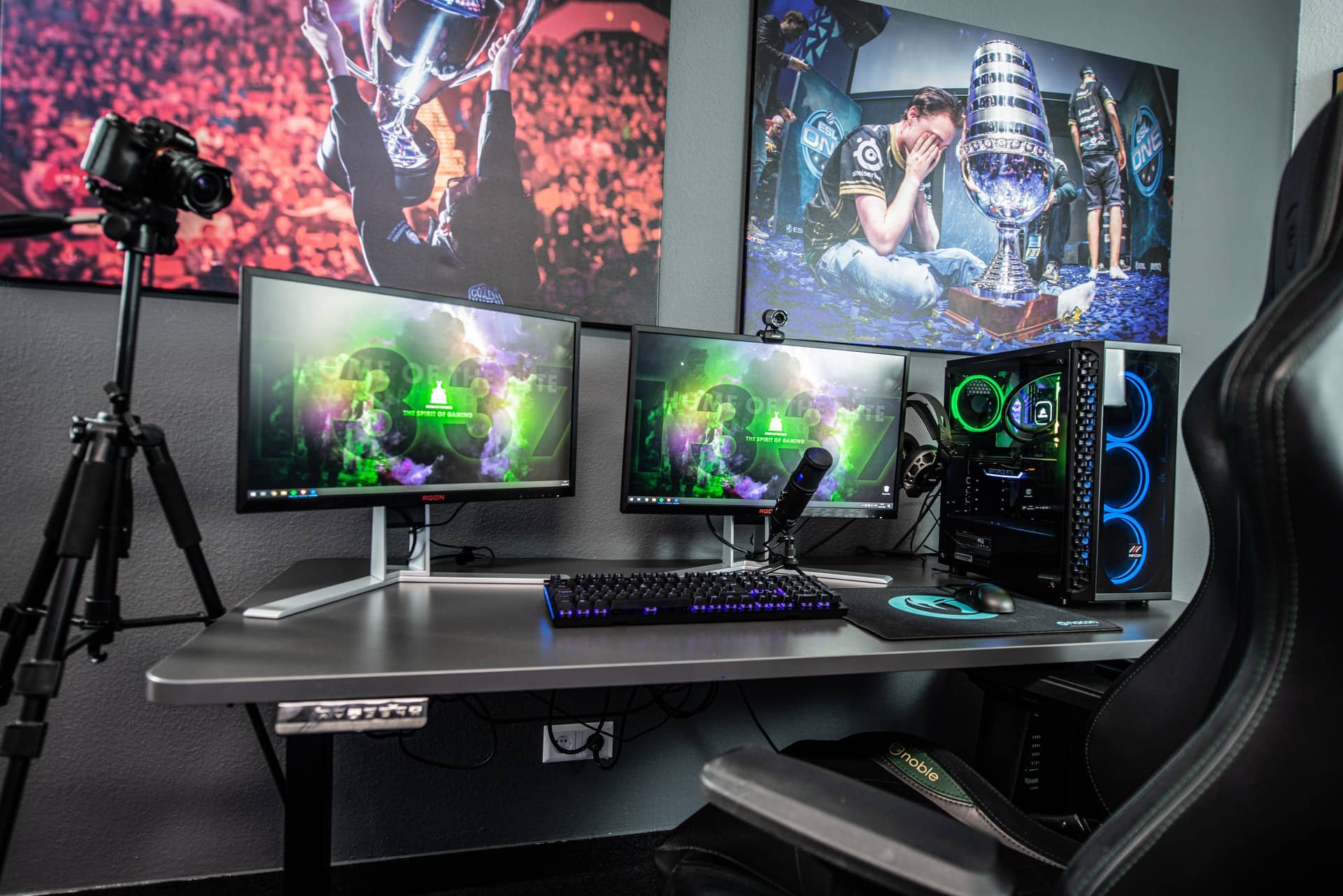
Ever notice how your gaming skills seem to mysteriously plummet during those long summer sessions? Or maybe you're shivering so much in the winter you can barely grip your mouse? It's probably not just you; the ambient temperature of your gaming space could be the real culprit behind your performance woes.
Let's face it, nobody wants sweaty palms clinging to their controller during a crucial raid, or fingers so numb that precise movements become impossible. Dealing with a room that's either a furnace or an icebox can seriously detract from the immersive experience we all crave and impact our focus, comfort, and even our health.
This guide is all about helping you optimize the climate in your gaming sanctuary. We'll explore the ideal temperature range for peak performance, discuss various cooling and heating solutions, and share practical tips for creating a comfortable and distraction-free gaming environment. Say goodbye to temperature-related frustrations and hello to uninterrupted, immersive gameplay!
Creating the ideal gaming environment is more than just having the right hardware. Controlling the temperature of your gaming space is crucial for maintaining focus, comfort, and peak performance. By understanding the optimal temperature range, implementing effective cooling and heating solutions, and adopting practical tips, you can transform your gaming room into a haven that promotes uninterrupted gameplay and enhances your overall experience. This article will give you the tools you need to master climate control for gaming comfort.
The Ideal Gaming Temperature
The quest for the perfect gaming temperature is a deeply personal one, yet there's a general consensus around what works best for most people. For me, it’s a constant battle. I live in a region with scorching summers and surprisingly chilly winters, so finding that sweet spot is a year-round project. I remember one summer trying to grind out some competitive matches, only to find myself increasingly distracted by the sweat dripping down my forehead. My reaction times slowed, my decision-making became clouded, and my K/D ratio plummeted. It was a disaster! That's when I realized the importance of climate control.
So, what is that sweet spot? Most experts agree that a temperature range of 68-72°F (20-22°C) is optimal for gaming. This range allows for comfortable movement without causing excessive sweating or shivering. It's cool enough to keep your system from overheating but warm enough to prevent muscle stiffness. Think of it as the Goldilocks zone for gamers. Of course, personal preferences vary, so feel free to experiment within a few degrees to find what works best for you. Factors like humidity and airflow also play a role, so consider those as well.
Maintaining this ideal range helps improve focus and reaction time. When your body is comfortable, you're less likely to be distracted by physical discomfort, which can negatively impact your performance. Precise movements are also easier to execute when your fingers aren't stiff from the cold or slippery from sweat. Essentially, a controlled gaming environment allows you to fully immerse yourself in the game and perform at your best. So, invest some time and effort into finding that perfect temperature – your win rate will thank you!
Understanding Your Cooling Options
Effective cooling is essential, especially if you're running high-performance gaming rigs that generate a lot of heat. So, what are your options? Well, you've got the usual suspects like air conditioners and fans, but there are also some more specialized solutions tailored to gamers.
Air conditioners are the most powerful cooling option, capable of significantly reducing the temperature in your gaming space. However, they can also be energy-intensive and expensive to operate. Consider the size of your room when choosing an air conditioner to ensure it's adequately cooled without excessive energy consumption. Fans, on the other hand, are a more affordable and energy-efficient option. While they don't actually lower the temperature, they circulate air, which can help you feel cooler by promoting evaporation. A good fan strategically placed can make a big difference, especially in smaller rooms.
Beyond these basics, there are also some cool (pun intended) gadgets designed specifically for gamers. Cooling pads for laptops can prevent overheating and improve performance, while USB-powered fans can provide a localized breeze directly onto your hands or face. Water cooling systems for your PC can also help dissipate heat more efficiently, allowing you to push your hardware to its limits without fear of thermal throttling. Ultimately, the best cooling solution depends on your budget, the size of your gaming space, and the amount of heat generated by your equipment.
The Myth of "Gamer Sweat"
There's a pervasive myth that gamers are somehow more prone to sweating than the average person. Is there any truth to it? Probably not. The real culprit is often inadequate ventilation and excessive heat generated by gaming equipment. The link between gaming and sweat goes further back than you might think.
Historically, intense physical activity was typically associated with sweating, but with the rise of esports and competitive gaming, we're seeing similar physiological responses in largely sedentary activities. The myth might stem from the fact that gaming sessions can be incredibly intense, both mentally and emotionally. The adrenaline rush and heightened focus can trigger similar physiological responses as physical exertion, including increased heart rate and sweating. However, the primary cause is still likely related to the gaming environment itself. A room filled with heat-generating electronics and lacking proper ventilation is a recipe for discomfort, regardless of how intense the game is.
In reality, anyone subjected to those conditions would likely experience excessive sweating. So, don't blame your gaming skills for your perspiration problems. Instead, focus on creating a comfortable and well-ventilated gaming space. By addressing the underlying environmental factors, you can debunk the myth of "gamer sweat" and enjoy your gaming sessions without feeling like you're running a marathon.
The Secret Weapon: Humidity Control
While temperature is the most obvious factor affecting gaming comfort, humidity plays a surprisingly important role. High humidity can make a room feel hotter and more uncomfortable, while low humidity can lead to dry skin and irritated eyes. Finding the right humidity level can be a secret weapon for maximizing your gaming performance.
The ideal humidity level for most people is between 30% and 50%. In this range, the air feels comfortable and doesn't cause excessive sweating or dryness. If your gaming room tends to be humid, consider investing in a dehumidifier. These devices remove excess moisture from the air, making the room feel cooler and more comfortable. Conversely, if your room is too dry, a humidifier can add moisture to the air, alleviating dry skin and preventing static electricity buildup. Monitoring humidity levels is easier than ever with readily available digital hygrometers. These inexpensive devices provide accurate readings, allowing you to make informed decisions about adjusting your climate control settings.
Maintaining the right humidity level can have a significant impact on your overall gaming experience. It can improve your focus, reduce distractions, and help you stay comfortable for longer periods. Don't underestimate the power of humidity control – it might just be the missing piece of your perfect gaming setup.
Recommended Cooling and Heating Solutions
Now that we've explored the importance of climate control, let's dive into some specific recommendations for cooling and heating solutions. There are options for every budget and gaming setup, so you're sure to find something that works for you. When I first built my gaming rig, I underestimated the amount of heat it would generate. My tiny apartment quickly became a sauna during intense gaming sessions.
For basic cooling, a simple oscillating fan can make a big difference. Look for one with adjustable speed settings and a wide range of motion to ensure adequate airflow throughout the room. If you need more powerful cooling, consider a portable air conditioner. These units are relatively affordable and can be easily moved from room to room. For heating, a space heater is a convenient and cost-effective option. Choose one with adjustable temperature settings and a tip-over safety switch for added peace of mind. If you're looking for a more permanent solution, consider investing in a window air conditioner with a heating function or a mini-split system.
These systems offer both cooling and heating capabilities and can be controlled remotely. Finally, don't forget about smaller gadgets like cooling pads for laptops and USB-powered fans for localized cooling. These devices can provide targeted relief in specific areas, such as your hands or keyboard. With a little research and planning, you can find the perfect combination of cooling and heating solutions to create a comfortable and distraction-free gaming environment.
Optimizing Airflow for Peak Performance
Airflow is just as important as temperature when it comes to gaming comfort. Stagnant air can make a room feel stuffy and uncomfortable, even if the temperature is within the ideal range. Optimizing airflow helps to circulate air, remove heat, and create a more comfortable gaming environment. One of the easiest ways to improve airflow is to ensure that your gaming room is well-ventilated.
Open windows and doors whenever possible to allow fresh air to circulate. If you're using a fan, position it strategically to maximize airflow. Point it towards you to create a cooling breeze or place it near a window to exhaust hot air out of the room. Pay attention to the placement of your gaming equipment. Avoid blocking vents or placing devices in enclosed spaces where heat can build up. Use cable management solutions to keep cords organized and prevent them from obstructing airflow.
Consider using a desk fan to circulate air around your computer tower, helping to prevent overheating. In more extreme cases, you might consider professional ventilation solutions. Whole-house fans or attic fans can significantly improve airflow throughout your home, creating a more comfortable and energy-efficient living space. By optimizing airflow, you can create a gaming environment that feels fresh, comfortable, and conducive to peak performance.
Practical Tips for a Comfortable Gaming Room
Creating a comfortable gaming room is more than just setting the right temperature. It's about considering all the factors that contribute to your overall experience, from lighting to ergonomics to noise levels. I found that even small changes can make a big difference in my gaming comfort. One of the best tips for a comfortable gaming room is to create a comfortable, ergonomic setup.
Invest in a comfortable chair that provides adequate support for your back and neck. Adjust your monitor to the correct height to prevent neck strain. Use a keyboard and mouse that are comfortable to use for extended periods. Proper lighting is also essential. Avoid harsh overhead lighting, which can cause glare and eye strain. Instead, opt for softer, ambient lighting or use a desk lamp to illuminate your keyboard and mouse.
Consider adding soundproofing materials to your walls or ceiling to reduce noise levels. This is especially important if you live in an apartment or have roommates. Finally, don't forget about the small details. Keep your gaming room clean and organized to reduce distractions. Add some plants to improve air quality and create a more relaxing atmosphere. By following these practical tips, you can transform your gaming room into a haven that promotes comfort, focus, and peak performance. These tips are essential in the long term and the small investment will really pay off over time.
The Importance of Ergonomics
Ergonomics is the science of designing and arranging things so that people can use them easily and safely. In the context of gaming, ergonomics focuses on creating a setup that minimizes strain and discomfort, allowing you to play for longer periods without experiencing pain or fatigue. A comfortable gaming setup starts with a good chair.
Look for a chair that provides adequate lumbar support and adjustable height and armrests. Your feet should be flat on the floor or supported by a footrest. Position your monitor at eye level to prevent neck strain. Your keyboard and mouse should be within easy reach, and your wrists should be straight and supported. Take frequent breaks to stretch and move around. This helps to prevent muscle stiffness and fatigue. Consider using ergonomic accessories, such as a wrist rest for your keyboard and mouse.
These accessories can provide additional support and reduce strain on your joints. By following ergonomic principles, you can create a gaming setup that is comfortable, safe, and conducive to peak performance. Ergonomics can also prevent long-term health issues, such as carpal tunnel syndrome and back pain. By investing in your ergonomic health, you can enjoy your gaming hobby for years to come.
Fun Facts About Gaming and Temperature
Did you know that professional esports players often compete in climate-controlled environments with precise temperature settings? Or that some gaming mice have built-in cooling systems to prevent sweaty palms? The world of gaming is full of fascinating facts related to temperature and comfort. I was surprised to learn how much effort goes into creating the perfect conditions for competitive gaming.
One interesting fact is that different game genres may require different temperature preferences. For example, fast-paced action games may benefit from a slightly cooler environment to keep you alert and focused, while more relaxed strategy games may be more enjoyable in a warmer setting. Another fun fact is that some gamers use unconventional methods to regulate their temperature, such as wearing cooling vests or using specialized gaming gloves. These extreme measures highlight the importance that some gamers place on maintaining optimal comfort and performance.
Even the materials used in gaming equipment can affect temperature. For example, some keyboard keycaps are made from materials that are designed to stay cool to the touch, while some mousepads are made from breathable fabrics to prevent sweaty hands. The gaming industry is constantly innovating to improve comfort and performance, and temperature control is a key aspect of this innovation. By understanding the relationship between gaming and temperature, you can make informed decisions about how to optimize your own gaming environment.
How to Build Your Own Climate-Controlled Gaming Room
Building your own climate-controlled gaming room doesn't have to be expensive or complicated. With a little planning and effort, you can create a comfortable and distraction-free space that enhances your gaming experience. The first step is to choose a room that is well-insulated. This will help to regulate temperature and prevent drafts. If possible, select a room that is not directly exposed to sunlight, as this can cause excessive heat buildup.
Next, invest in a good air conditioner or space heater to control the temperature. Choose a unit that is appropriately sized for the room and consider energy efficiency when making your decision. Use fans to circulate air and improve ventilation. Place fans strategically to create a cooling breeze or to exhaust hot air out of the room. Consider adding insulation to your walls and ceiling to improve temperature regulation. This can be a relatively inexpensive project that can significantly reduce energy costs.
Use window coverings, such as blinds or curtains, to block out sunlight and prevent heat buildup. Finally, don't forget about the small details. Keep your gaming room clean and organized to reduce distractions. Add some plants to improve air quality and create a more relaxing atmosphere. By following these steps, you can build your own climate-controlled gaming room that is both comfortable and conducive to peak performance. Don't forget about considering the cost of electricity as some of these solutions can be more expensive than others.
What If You Can't Control Your Gaming Room's Temperature?
Sometimes, despite our best efforts, we simply can't control the temperature of our gaming room. Maybe you live in a dorm room with a shared thermostat, or perhaps your apartment's HVAC system is unreliable. What do you do then? Don't despair! There are still plenty of ways to stay comfortable and maintain peak performance.
One option is to focus on personal cooling or heating solutions. Wear lightweight, breathable clothing in the summer and warm, layered clothing in the winter. Use a personal fan or a heated blanket to regulate your body temperature. Drink plenty of water to stay hydrated, especially in hot weather. Take frequent breaks to cool down or warm up. Avoid gaming during the hottest or coldest parts of the day, if possible. Consider using a cooling vest or heated gloves for more extreme temperature conditions.
These devices can provide targeted relief and help you stay comfortable for longer periods. Finally, communicate with your roommates or landlord about your concerns. They may be willing to make adjustments to the thermostat or provide additional heating or cooling. By being proactive and resourceful, you can overcome the challenges of an uncontrollable gaming environment and continue to enjoy your favorite games. This also applies if you are travelling and don't have direct control over the location where you are gaming.
Top 5 Items to Control Your Gaming Room Temperature
Here are the top five items to help you control your gaming room temperature:
- Air Conditioner or Space Heater: The most effective way to directly control the temperature of your gaming room.
- Fans: Affordable and energy-efficient, fans circulate air and promote cooling.
- Dehumidifier or Humidifier: Maintaining the right humidity level is crucial for comfort.
- Window Coverings: Blinds or curtains block out sunlight and prevent heat buildup.
- Personal Cooling/Heating Devices: Cooling vests, heated blankets, and USB-powered fans provide targeted relief.
These items are essential for creating a comfortable and climate-controlled gaming environment. Investing in these items can significantly improve your gaming experience and help you maintain peak performance. Consider your budget and specific needs when choosing these items. A combination of these items can provide the most effective temperature control.
Question and Answer Section
Here are some common questions about gaming room temperature and climate control:
Q: What is the ideal temperature for a gaming room?
A: The ideal temperature range is generally between 68-72°F (20-22°C), but personal preferences may vary.
Q: How can I reduce heat generated by my gaming PC?
A: Improve airflow by cleaning dust, using a CPU cooler, and considering liquid cooling. Also, ensure proper ventilation in your room.
Q: What are some affordable cooling solutions?
A: Fans, window coverings, and wearing lightweight clothing are cost-effective options.
Q: How important is humidity control?
A: Humidity plays a crucial role. Aim for a humidity level between 30% and 50%. Use a dehumidifier if the air is too humid, and a humidifier if it's too dry.
Conclusion of Gaming Room Temperature: Climate Control for Gaming Comfort
Ultimately, mastering climate control for your gaming room is an investment in your comfort, focus, and performance. By understanding the optimal temperature range, exploring various cooling and heating solutions, and implementing practical tips, you can create a gaming environment that promotes uninterrupted gameplay and enhances your overall experience. Remember, a comfortable gamer is a better gamer!
Post a Comment