Gaming Eye Strain: Preventing Vision Problems from Gaming
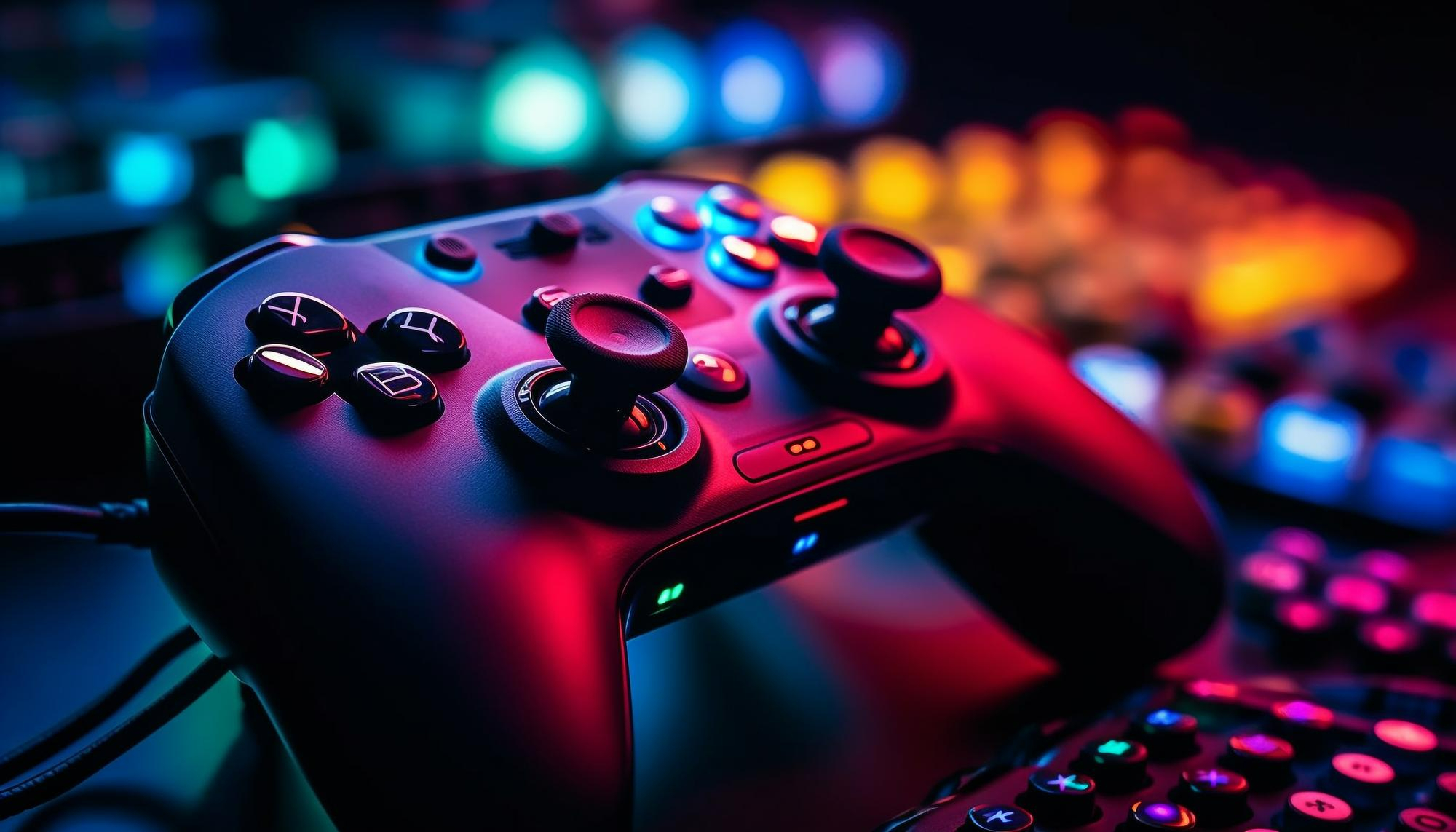
Ever get that nagging feeling after a long gaming session, like your eyes are working overtime and staging a mini-rebellion? It's more common than you think, and it's something we should definitely address.
Let's face it: extended hours glued to screens, battling virtual foes or exploring digital landscapes, can leave your eyes feeling strained, dry, and just plain tired. Maybe you've experienced blurry vision, headaches that throb right behind your eyes, or even increased sensitivity to light. These experiences can significantly impact not only the enjoyment of your games but also your overall well-being.
This article aims to shed light on the causes of gaming-related eye strain and provide practical tips and strategies to help you prevent vision problems so you can enjoy your favorite games without sacrificing your eye health.
In short, we're diving into the world of gaming eye strain, exploring its causes, symptoms, and, most importantly, preventative measures. We'll cover everything from proper screen setup and lighting to the importance of taking breaks and specific eye exercises. We hope that we will provide you with the necessary tools to safeguard your vision while still enjoying all that gaming has to offer. Remember to take breaks, adjust your setup, and listen to your body!
Understanding Digital Eye Strain and Gaming
Digital eye strain, sometimes called computer vision syndrome, isn't just for gamers; it affects anyone who spends significant time staring at digital screens. However, gamers are particularly vulnerable due to the often long and intense gaming sessions they engage in. I remember once losing an entire weekend to a new MMORPG. I was so engrossed in leveling up my character that I barely blinked, and by Sunday evening, my eyes felt like sandpaper, and a headache was pounding in my head. It was a wake-up call! I had to change my habits, and I researched digital eye strain and found that the symptoms include dry eyes, blurred vision, headaches, and neck and shoulder pain. These symptoms arise because our eyes work harder to focus on digital screens, especially when there are glare and poor contrast. This can lead to fatigue, which exacerbates all the symptoms. Understanding the link between digital devices and its symptoms is the first step in taking control of your eye health. By recognizing how factors such as screen distance, screen angle, lighting conditions, and individual vision needs influence these effects, you can take the necessary steps to make your gaming sessions more comfortable and reduce the risk of long-term vision problems. This understanding will also help you implement effective strategies to protect your eye health while still fully enjoying your time spent in virtual worlds.
The Causes of Gaming Eye Strain
Several factors contribute to eye strain during gaming. The primary culprit is prolonged focus on a screen, which can lead to reduced blinking. Blinking is essential because it helps moisten and cleanse the surface of our eyes, keeping them from drying out. When we are deeply concentrated on something, like a video game, our blink rate decreases significantly. Besides reduced blinking, other elements contribute to eye strain. These include the blue light emitted by screens, the screen's refresh rate, the distance from which you are viewing the screen, and the ambient lighting in the room. Blue light, in particular, has been implicated in eye strain because it scatters more easily than other visible light and can reduce contrast, making it harder for your eyes to focus. Refresh rates impact how smoothly images appear on the screen, and low refresh rates can cause flicker, leading to eye strain. Furthermore, screen distance and lighting play a crucial role; if you are too close to the screen or if the lighting is poor, your eyes have to work harder to compensate, which leads to fatigue. Addressing these factors—taking regular breaks, ensuring proper lighting, and using blue light filters—can substantially reduce your risk of developing eye strain.
The History and Myths of Gaming Eye Strain
The concept of "eye strain" isn't new, but its relevance in the digital age has evolved dramatically. Historically, eye strain was associated with tasks like reading small print or working in dimly lit environments. But with the advent of computers and digital devices, the definition of eye strain began to encompass the unique challenges posed by screens. However, there are many myths surrounding gaming and vision. One common myth is that staring at screens will permanently damage your eyesight. While extended screen time can cause discomfort and temporary vision issues like eye strain, there is no conclusive evidence that it leads to permanent damage in most people. Another myth is that "gaming glasses" are a universal solution to eye strain. While these glasses can help reduce blue light exposure and glare, they are not a one-size-fits-all solution. To truly address eye strain, gamers need to incorporate a variety of strategies. Understanding the real causes and effects versus the myths can help you make informed decisions about how to protect your eyes. It encourages the adoption of comprehensive strategies beyond quick fixes. This approach, focusing on practical and evidence-based techniques, ensures that gamers can maintain their vision health effectively while enjoying their favorite games.
The Hidden Secrets of Preventing Gaming Eye Strain
Beyond the well-known advice of taking breaks and adjusting your screen, a few lesser-known secrets can significantly impact preventing gaming eye strain. First, consider the ergonomics of your entire setup. Your chair, desk, and monitor should be positioned to support a neutral posture. This means your monitor should be at arm's length, and the top of the screen should be at or slightly below eye level. Another hidden secret lies in conscious blinking exercises. We often forget to blink when focused on a screen, so deliberately blinking every 20 minutes can make a big difference. For example, the 20-20-20 rule recommends taking a 20-second break every 20 minutes to look at something 20 feet away. Also, it's crucial to manage the ambient humidity in your room. Dry air can exacerbate dry eye symptoms. A humidifier can help maintain a comfortable level of moisture, especially during winter. Managing these additional factors helps enhance the effectiveness of standard precautions. By focusing on ergonomics, conscious blinking, and environmental conditions, gamers can create a more comfortable and eye-friendly environment, significantly reducing their risk of developing or worsening eye strain. This holistic approach ensures that eye health is prioritized as an integral part of the gaming experience, promoting long-term well-being alongside gaming enjoyment.
Recommendations for Reducing Eye Strain
Here are some specific recommendations to help reduce eye strain while gaming. Invest in a high-quality monitor with a good refresh rate (at least 75 Hz) and resolution. A monitor with a higher refresh rate can reduce flicker, making it easier on your eyes. Adjust your screen brightness and contrast to match the ambient lighting. The screen should not be significantly brighter or darker than the surroundings. Use blue light filters, either built into your monitor or via software, to reduce the amount of blue light emitted. Consider using artificial tears or lubricating eye drops to keep your eyes moist, especially if you experience dryness. Additionally, regularly visit an eye care professional for comprehensive eye exams. Regular check-ups can help detect and address any underlying vision problems that may contribute to eye strain. These recommendations, when implemented consistently, can lead to a noticeable reduction in eye strain. By taking these steps, gamers can enjoy their hobby without experiencing excessive discomfort or risking their long-term eye health. This proactive approach not only enhances the gaming experience but also ensures the preservation of visual well-being.
The 20-20-20 Rule: A Simple and Effective Strategy
One of the simplest and most effective ways to combat eye strain is the 20-20-20 rule. This rule is easy to remember and integrate into your gaming routine. The concept is that you take a 20-second break every 20 minutes to look at something 20 feet away. This break gives your eyes a chance to relax and refocus, which helps reduce strain. Prolonged focusing on screens makes the muscles in your eyes work harder, leading to fatigue. Shifting your gaze to a distant object allows these muscles to relax. During these breaks, try to make it a habit to blink several times to moisten your eyes. Furthermore, make sure to stand up and stretch. These simple breaks improve both eye health and overall physical well-being. Integrating the 20-20-20 rule is an easy way to enhance your gaming experience while protecting your eyes. By making small changes to your gaming behavior, you can enjoy your favorite games while maintaining good vision health. This strategy is effective in reducing the cumulative effects of prolonged screen time on your eyes.
Practical Tips for Minimizing Eye Strain While Gaming
Beyond the 20-20-20 rule, there are several other practical tips you can implement to minimize eye strain while gaming. Ensure that your gaming area is well-lit, but avoid harsh overhead lighting that can cause glare on your screen. Soft, indirect lighting is preferable. Consider using an anti-glare screen protector to further reduce glare. Experiment with different screen distances to find a comfortable viewing distance that doesn't require you to strain your eyes. Generally, keeping the screen at arm's length is a good starting point. Avoid gaming in dark environments, as this forces your eyes to work harder to adjust to the bright screen. Remember to adjust text size and contrast settings to make sure that text is easy to read. Implement these tips into your routine, and this will lead to healthier and more enjoyable gaming sessions. By focusing on adjusting the gaming environment and your screen settings, you can effectively reduce the risk of eye strain. This commitment to eye health ensures that gaming remains a pleasant and sustainable hobby.
Ergonomics: Setting Up Your Gaming Space for Eye Health
Ergonomics plays a crucial role in preventing eye strain. Proper ergonomics involves setting up your gaming space to minimize physical stress and promote good posture, which indirectly benefits your eyes. Position your monitor so that the top of the screen is at or slightly below eye level. This ensures that your neck is in a neutral position, reducing strain on your neck and shoulders, which can contribute to headaches and eye strain. Use a chair that provides good lumbar support and allows you to sit with your feet flat on the floor or supported by a footrest. Also, it's important to adjust your keyboard and mouse positions to maintain a comfortable wrist posture. Make sure to set up your gaming space ergonomically to support your posture and minimize physical discomfort. Prioritizing ergonomics helps reduce the risk of physical ailments associated with prolonged gaming sessions. This proactive approach supports both eye health and overall physical well-being, making your gaming experience more enjoyable and sustainable.
Fun Facts About Eyes and Vision
Did you know that your eyes can distinguish about 10 million different colors? Or that the human eye can only see a small portion of the electromagnetic spectrum? Gaming can be a very visual activity, which is why maintaining healthy vision is so important. The eye is the second most complex organ in the body, after the brain. Also, human eyes are incredibly fast. They can focus on about 50 different objects per second. Your eyes can also adapt to different lighting conditions quite quickly. These facts highlight the remarkable abilities of our visual system and underscore the need to protect our eyes. Understanding these fun facts about eyes enhances our appreciation for visual health and encourages us to take better care of our vision. By understanding the intricacies of our eyes, we can better appreciate the importance of maintaining good habits that support their health and functionality, especially when engaging in visually intensive activities like gaming.
How to Choose the Right Gaming Glasses
If you're considering gaming glasses, it's essential to understand what to look for. Gaming glasses often come with lenses that filter blue light, which can help reduce eye strain. Choose gaming glasses with an anti-reflective coating to minimize glare from screens and overhead lights. This coating reduces the amount of light reflected off the surface of the lenses, making it easier for your eyes to focus. Choose glasses that fit comfortably and stay in place. Many gaming glasses come in various frame sizes and styles. Consider consulting with an eye care professional to determine if gaming glasses are right for you and to get recommendations on specific brands or features. If you wear prescription glasses, you can also get gaming glasses with your prescription. These glasses are customized to correct your vision while providing the benefits of blue light filtering and anti-reflective coatings. Choosing the right gaming glasses can enhance your gaming experience by reducing eye strain. This proactive approach ensures you can enjoy your favorite games without compromising your visual well-being. By understanding your vision needs and selecting the appropriate glasses, you can support your eye health and enhance your overall gaming enjoyment.
What If Eye Strain Persists?
If you've implemented the tips above and eye strain persists, it's essential to consult with an eye care professional. Persistent eye strain could indicate an underlying vision problem that needs to be addressed. An eye exam can help detect issues such as uncorrected refractive errors, binocular vision problems, or dry eye syndrome. Uncorrected refractive errors, such as nearsightedness, farsightedness, and astigmatism, can cause eye strain because your eyes have to work harder to focus. If you're experiencing persistent eye strain despite taking preventive measures, it's crucial to seek professional medical advice. This ensures that any underlying vision issues are identified and addressed. By seeking timely medical attention, you can prevent more serious vision problems. Regular eye exams are a vital part of maintaining overall eye health, especially if you frequently engage in visually intensive activities like gaming.
Listicle: Top 5 Ways to Prevent Gaming Eye Strain
Here's a quick list of the top five ways to prevent eye strain: 1. Follow the 20-20-20 Rule: Take a 20-second break every 20 minutes to look at something 20 feet away.
2. Adjust Screen Settings: Optimize brightness, contrast, and text size for comfortable viewing.
3. Improve Lighting: Ensure adequate ambient lighting and reduce glare on your screen.
4. Use Blue Light Filters: Apply blue light filters on your devices to minimize harmful light exposure.
5. Regular Eye Exams: Schedule regular check-ups with an eye care professional to monitor and address potential vision issues. This quick checklist provides actionable steps to help you minimize eye strain and enjoy a more comfortable gaming experience. Incorporating these tips into your daily routine enhances your visual comfort and supports the long-term health of your eyes. By proactively addressing these factors, you can minimize the adverse effects of screen time and create a healthier gaming environment.
Question and Answer
Question 1: How often should I take breaks while gaming?
Answer: Ideally, follow the 20-20-20 rule: every 20 minutes, take a 20-second break to look at something 20 feet away. You can also take longer breaks every hour to stretch and move around.
Question 2: What are the best screen settings for preventing eye strain?
Answer: Adjust your screen's brightness and contrast to match the ambient lighting in your room. Use warm color settings and increase text size to make reading easier. Also, enable blue light filters.
Question 3: Can gaming glasses really help with eye strain?
Answer: Yes, gaming glasses with blue light filters and anti-reflective coatings can help reduce eye strain by minimizing blue light exposure and glare.
Question 4: What should I do if my eye strain doesn't improve with these tips?
Answer: If your eye strain persists despite taking preventive measures, consult an eye care professional for a comprehensive eye exam. You may have an underlying vision problem that needs to be addressed.
Conclusion of Gaming Eye Strain: Preventing Vision Problems from Gaming
Gaming eye strain is a common issue, but it's preventable. By understanding the causes and implementing simple strategies like the 20-20-20 rule, adjusting your screen settings, and improving your gaming environment, you can protect your vision while enjoying your favorite games. Don't forget the importance of regular eye exams to ensure your eyes are healthy. So, take care of your eyes, game responsibly, and happy gaming!
Post a Comment