Gaming Console Storage: Organization for Multiple Gaming Systems
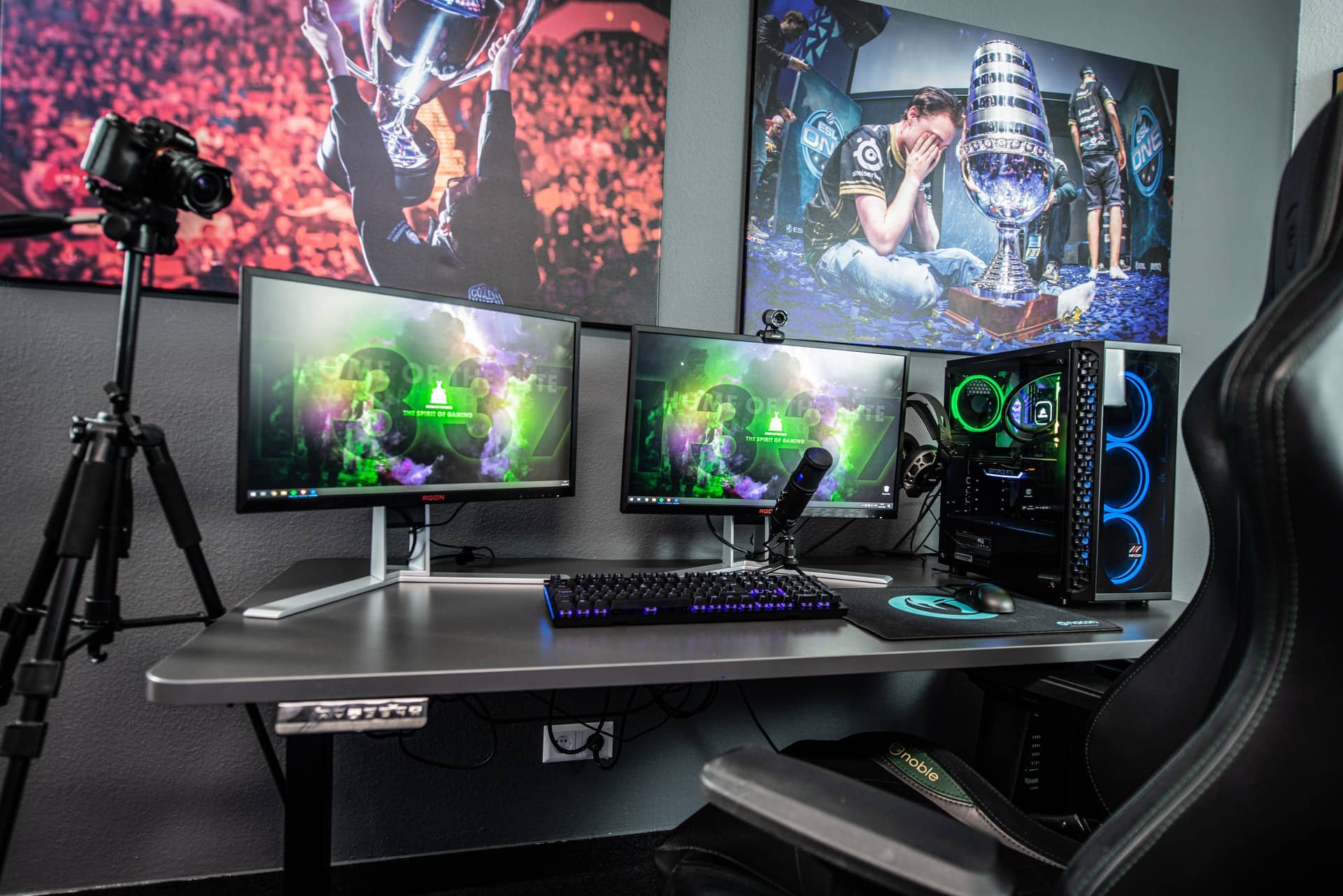
Ever trip over a stray controller in the middle of the night? Or maybe spent what felt like an eternity untangling a mess of HDMI cables just to switch between consoles? If so, you're not alone! The struggle is real when you're juggling multiple gaming systems.
It's a common sight: consoles haphazardly stacked on shelves, wires resembling a jungle, and games scattered like confetti after a parade. Finding the right controller becomes an archaeological dig, and the once-pristine gaming setup starts looking like a chaotic monument to your passion.
Fear not, fellow gamers! This guide is your key to unlocking a clean, organized, and functional gaming space, even with multiple consoles vying for attention. We'll explore practical storage solutions and organization tips to transform your gaming area from a cluttered catastrophe into a streamlined haven.
We'll cover everything from optimizing space with shelving units to cleverly concealing cables and creating dedicated zones for each system. Get ready to level up your organization skills and create the ultimate gaming sanctuary where everything has its place.
Understanding Your Gaming Needs
The first step to conquering console chaos is understanding your individual needs. It's not a one-size-fits-all solution, so take a few minutes to assess your collection and gaming habits. I remember when I first started collecting retro consoles, I thought I could just cram everything into an old TV stand. The result? A tangled mess of power cords, AV cables that never wanted to cooperate, and a constant fear that something was going to overheat. I learned my lesson the hard way. Now, before buying any storage solution, I consider how many consoles I need to house, the size of each console, the number of controllers, games, and accessories that require storage, and even the airflow requirements of each device. Think about the games you play most often. Do you need quick access to certain consoles or accessories? If you are a VR player, you'll want to find a storage place for your VR headsets. Consider the available space in your gaming area. Are you working with a small corner, an entire room, or something in between? Once you have a clear picture of your requirements, you can start exploring storage options that fit your space and budget. Consider vertical storage options like shelving units or tiered stands to maximize floor space. Also, you will want to think about how you will set up the cables. Cable management will be your best friend in keeping your area tidy.
Exploring Storage Options
When it comes to gaming console storage, you have a plethora of options to choose from, each with its own advantages and disadvantages. From dedicated gaming cabinets to multi-tiered shelves, the possibilities are endless. Media consoles designed specifically for AV equipment are a great starting point. These often have adjustable shelves, cable management systems, and even built-in cooling fans. Shelving units, whether freestanding or wall-mounted, offer a versatile storage solution. You can customize the shelf height and spacing to accommodate different console sizes and arrange them in a way that's visually appealing. For a more streamlined look, consider using storage bins or baskets to conceal controllers, cables, and other accessories. Modular storage systems are another excellent option, allowing you to add or remove components as your collection grows. Think about repurposing existing furniture, too. An old dresser or entertainment center can be transformed into a gaming hub with a little creativity. Remember to prioritize ventilation to prevent your consoles from overheating. Leave enough space around each console for airflow, and consider adding fans to circulate air if needed. Be sure to measure the space you are using for your area and use a measuring tape to get the right size for your gaming console.
The History and Myth of Console Organization
The quest for organized gaming spaces isn't new. It has evolved alongside the history of gaming itself. In the early days of Atari and Nintendo, console storage was a simpler affair. Consoles were smaller, games came in cartridges, and cable clutter was minimal. As technology advanced and consoles became more complex, the challenge of organization intensified. We went from a few simple cables to a tangled mess of HDMI, power cords, Ethernet cables, and more. A prevailing myth is that gamers are inherently messy. But this is a misconception. Many gamers deeply value their collections and take pride in creating organized and visually appealing gaming spaces. There is a myth surrounding the ability to organize gaming consoles. It is believed that once you have a lot of consoles, it will get messy. This is simply not true. With a little patience and organization, any gaming space can be transformed into an organized space. It requires commitment, but it can be done. Think about the evolution of gaming furniture. From simple TV stands to elaborate gaming desks with built-in cable management and accessory storage, the industry has responded to the needs of gamers who want to keep their spaces organized and functional.
Hidden Secrets to Cable Management
Cable management is the unsung hero of any organized gaming setup. It's the secret weapon that transforms a chaotic mess of wires into a neat and tidy display. The first hidden secret is to plan your cable routing before you even plug anything in. Group cables together using zip ties, Velcro straps, or cable sleeves. Label each cable with a small tag so you know what it connects to. Use cable raceways or channels to conceal cables along walls or under desks. Another secret is to invest in shorter cables. Excess cable length just adds to the clutter. Use power strips with surge protection to protect your consoles from power surges and simplify cable management. Many power strips come with built-in cable management features like cord organizers and mounting options. Don't underestimate the power of Velcro. Velcro strips can be used to attach cables to the back of furniture, under desks, or along walls. And finally, embrace the art of concealment. Hide cables behind furniture, inside cabinets, or behind decorative panels. There are a ton of products available on websites like Amazon to assist with Cable Management.
Recommended Gaming Console Storage Solutions
Choosing the right storage solutions depends on your specific needs and preferences, but here are a few recommendations to get you started. For a dedicated gaming hub, consider a media console with adjustable shelves and cable management. These consoles are specifically designed to house AV equipment and often have built-in features like ventilation and cooling fans. If you have a large collection of consoles, opt for a multi-tiered shelving unit. Look for shelves that are adjustable so you can customize the height and spacing to accommodate different console sizes. For a more minimalist look, consider wall-mounted shelves. These shelves save floor space and create a clean, modern aesthetic. Storage bins and baskets are perfect for concealing controllers, cables, and other accessories. Choose bins that are durable and easy to clean. For gamers who want ultimate control over their setup, modular storage systems are the way to go. These systems allow you to add or remove components as your collection grows. Don't forget about cable management accessories. Zip ties, Velcro straps, cable sleeves, and cable raceways will help you tame the cable chaos and create a tidy gaming space. Before purchasing anything, measure your area so you know what the size limitation you have.
Budget-Friendly Options
Organizing your gaming consoles doesn't have to break the bank. There are plenty of budget-friendly options available that can help you create a functional and visually appealing gaming space. Start by repurposing existing furniture. An old dresser, bookshelf, or entertainment center can be transformed into a gaming hub with a little creativity. Look for storage bins and baskets at discount stores or dollar stores. These bins are perfect for concealing controllers, cables, and other accessories. DIY cable management is another great way to save money. Use zip ties, Velcro straps, or even binder clips to keep your cables organized. You can also make your own cable raceways out of cardboard or PVC pipe. Shop around for sales and discounts on storage solutions. Many retailers offer deals on shelving units, media consoles, and other storage furniture. Get creative with your storage solutions. Use wall-mounted hooks to hang controllers or headsets. Repurpose old shoe boxes to store games and accessories. The possibilities are endless! By thinking outside the box, you can create an organized gaming space without spending a fortune. Another cost-effective option is to keep an eye out for local sales. Many people sell shelving units online for a very low price.
Tips for Maintaining Your Organized Space
Creating an organized gaming space is just the first step. The real challenge is maintaining that organization over time. Make it a habit to put things back in their place after each gaming session. Store controllers in a designated bin or on wall-mounted hooks. Coil up cables and secure them with zip ties or Velcro straps. Keep your consoles clean and dust-free. Use a microfiber cloth to wipe down your consoles and controllers regularly. Declutter your gaming space regularly. Get rid of any games, accessories, or consoles that you no longer use. Establish a routine for organizing your gaming space. Set aside a few minutes each week to tidy up and reorganize your setup. Involve other members of your household in maintaining the organization. Encourage them to put things back in their place and to help with the decluttering process. Reward yourself for maintaining your organized space. Treat yourself to a new game, accessory, or even a new storage solution. Remember that organization is an ongoing process. Don't get discouraged if your gaming space becomes cluttered from time to time. Just take a few minutes to tidy up and get back on track. By following these tips, you can maintain your organized gaming space and enjoy a clutter-free gaming experience for years to come.
Decluttering Your Collection
One of the most effective ways to maintain an organized gaming space is to declutter your collection regularly. This means getting rid of any games, accessories, or consoles that you no longer use or need. Start by going through your game collection. Identify any games that you haven't played in a long time or that you simply don't enjoy anymore. Consider selling or trading these games to free up space. Next, go through your accessories. Get rid of any broken controllers, outdated headsets, or other accessories that are just taking up space. Donate or recycle these items responsibly. Finally, take a look at your consoles. If you have any consoles that you no longer use or that are broken, consider selling them or donating them to a local charity. Before getting rid of anything, make sure to back up any important data or save files. Once you've decluttered your collection, you'll have more space to organize the items that you actually use and enjoy. This will make it easier to keep your gaming space clean and tidy. Consider using a storage system that allows you to easily access and organize your games and accessories. Label your storage bins and shelves so you know where everything goes. Make it a habit to declutter your collection regularly, even if it's just for a few minutes each week. This will help you stay on top of the clutter and maintain an organized gaming space.
Fun Facts About Gaming Console Storage
Did you know that the first dedicated gaming console, the Magnavox Odyssey, didn't even have a built-in storage system? Games were stored on interchangeable circuit cards that plugged into the console. The average gamer owns around three to four consoles, which can quickly lead to a cluttered gaming space if not properly organized. Some gamers go to extreme lengths to organize their collections, even building custom gaming rooms with built-in storage and cable management systems. The most expensive gaming console storage solution is probably a custom-built gaming room with high-end materials and features. Many gamers use creative storage solutions like repurposed furniture, DIY shelves, and even LEGO bricks to organize their consoles and accessories. The gaming industry has responded to the need for organized gaming spaces by creating dedicated gaming furniture with built-in storage and cable management. The quest for organized gaming spaces is a never-ending journey for many gamers, as they constantly seek new and innovative ways to keep their collections tidy and accessible. The psychology behind gaming console storage is fascinating. Many gamers view their collections as a reflection of their identity and take pride in organizing and displaying them in a visually appealing way. Think about how far gaming has come, from cartridges to online downloads.
How To Organize Cables
Taming the cable chaos is essential for creating an organized gaming space. Here's a step-by-step guide to help you wrangle those unruly wires. Start by unplugging all of your cables and grouping them together by type. This will make it easier to identify which cables go to which consoles and accessories. Use zip ties, Velcro straps, or cable sleeves to bundle cables together. This will prevent them from tangling and creating a mess. Label each cable with a small tag so you know what it connects to. This will save you time and frustration when you need to disconnect or reconnect a cable. Route cables along walls, under desks, or behind furniture to keep them out of sight. Use cable raceways or channels to conceal cables and create a clean, professional look. Use shorter cables whenever possible. Excess cable length just adds to the clutter. Consider using wireless controllers and accessories to minimize cable clutter. Use power strips with surge protection to protect your consoles from power surges and simplify cable management. Store unused cables in a designated bin or drawer. This will prevent them from getting lost or tangled. Make it a habit to organize your cables regularly, even if it's just for a few minutes each week. This will help you stay on top of the clutter and maintain an organized gaming space. Think of it like maintaining your car. If you don't keep up with it, it will eventually lead to a breakdown.
What If You Don't Organize?
Ignoring the need for organization in your gaming space can lead to a number of negative consequences. A cluttered gaming space can be stressful and distracting, making it difficult to focus on your games. Tangled cables can be a tripping hazard, leading to accidents and injuries. Consoles and accessories can overheat if they're not properly ventilated, leading to damage and reduced lifespan. A disorganized gaming space can make it difficult to find what you need when you need it, leading to frustration and wasted time. A cluttered gaming space can be an eyesore, detracting from the overall aesthetic of your home. Ignoring the need for organization can also lead to a build-up of dust and dirt, which can damage your consoles and accessories. A disorganized gaming space can also make it more difficult to clean, leading to a less hygienic environment. Ultimately, failing to organize your gaming space can detract from your overall gaming experience and create a negative environment. This can lead to a variety of problems, including decreased performance, frustration, and even physical discomfort. Take the time to organize your gaming space and create a more enjoyable and productive gaming environment. You will eventually get around to it eventually, so why not do it early?
Top 5 Gaming Console Organization Hacks
Here's a listicle of five game-changing hacks to elevate your console organization game:
- Vertical Storage is Your Friend: Embrace shelving units or tiered stands to maximize floor space. Think upwards, not outwards!
- Cable Management Magic: Zip ties, Velcro straps, and cable sleeves are your best friends. Tame those unruly wires and create a tidy setup.
- Hidden Storage Solutions: Use storage bins, baskets, or even repurposed furniture to conceal controllers, cables, and other accessories.
- Dedicated Zones for Each System: Create distinct areas for each console to avoid confusion and clutter.
- Regular Decluttering: Make it a habit to purge unwanted games, accessories, and consoles. A minimalist approach is key!
These hacks will transform your gaming space from a chaotic mess into a streamlined and functional haven. Remember that these are just starting points to getting your organized gaming console together. You can explore other options as you go through these top five organization hacks. Many people forget to declutter, but this is key to keeping your area tidy. Over time, things can start to accumulate, and you don't even notice it.
Question and Answer
Q: I have a small gaming space. What are some space-saving storage solutions?
A: Vertical storage is your best bet! Consider shelving units, wall-mounted shelves, or tiered stands to maximize floor space.
Q: How can I keep my cables from getting tangled?
A: Use zip ties, Velcro straps, or cable sleeves to bundle cables together. Label each cable so you know what it connects to.
Q: I have a lot of controllers. Where should I store them?
A: Use storage bins, baskets, or wall-mounted hooks to store your controllers. Choose a location that is easily accessible.
Q: How often should I declutter my gaming space?
A: Aim to declutter your gaming space at least once a month. Get rid of any games, accessories, or consoles that you no longer use.
Conclusion of Gaming Console Storage: Organization for Multiple Gaming Systems
Transforming your gaming area into an organized sanctuary is within reach. By understanding your needs, exploring storage options, mastering cable management, and maintaining a clutter-free environment, you can create a gaming space that is both functional and visually appealing. Embrace these tips and tricks, and get ready to level up your organization skills and enjoy a clutter-free gaming experience for years to come.
Post a Comment